

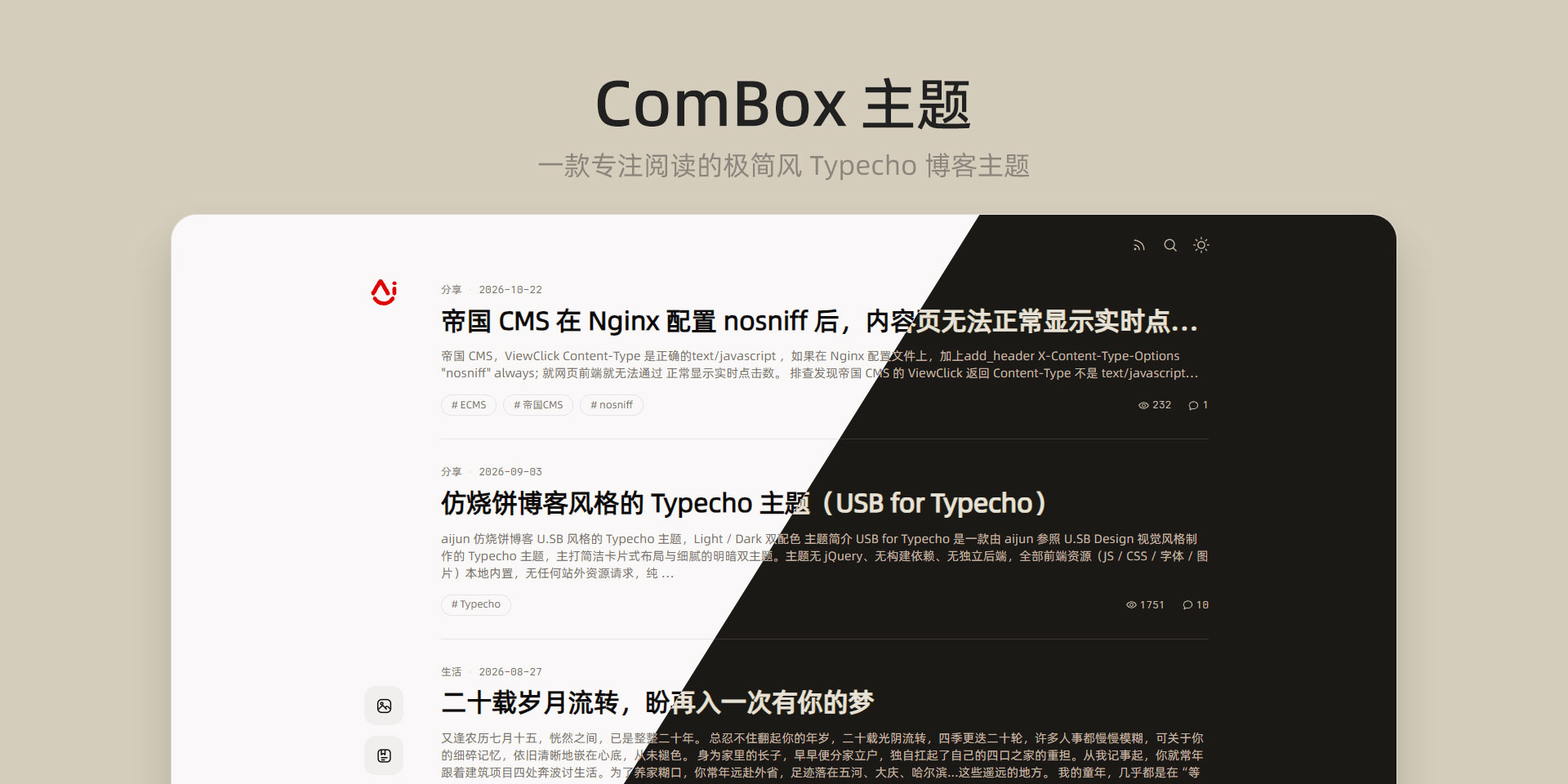
Single-column, generous whitespace, restrained colors, plus a shareable poster.
Perfect for those who treat writing as a long-term practice.
ComBox is a Typecho blog theme. It does one thing: help readers sit down and finish reading an article.
So it has no sidebar, no recommended sections, no pop-up ads, and no "you might also like." When you open the homepage, you see only lines of titles, dates, and short excerpts—no decorative layer blocking your focus, just words.
It also doesn’t rely on any external resources: fonts, icons, code syntax highlighting, and image assets are all included within the theme itself. Even offline, the site renders fully styled without breaking due to CDN failures.
Quiet, Not Loud
The theme’s character is quiet: it doesn’t grab attention with contrast, shadows, or animations—its effort goes into spacing between words.
In light mode, it uses warm beige with deep brown text—enough contrast without being harsh; in dark mode, it’s not a flat black but a warm deep gray, easy on the eyes during late-night reading. The body text uses a soft, rounded Chinese font, with slightly bolder headings and lighter body copy, and generous line height—so text never feels cramped on screen.
Date, read count, comment count, tags—these "small details" all use monospaced fonts. Numbers align neatly in columns, consistent in width and height, quiet yet orderly.
Homepage article cards have no cover images, no hover effects, no stacked shadows. Just a thin line, some whitespace, title, excerpt, tags, and read count—enough.
Pinned posts can be marked via custom fields in the backend—no extra plugin needed.
Taking "Reading" to the Extreme
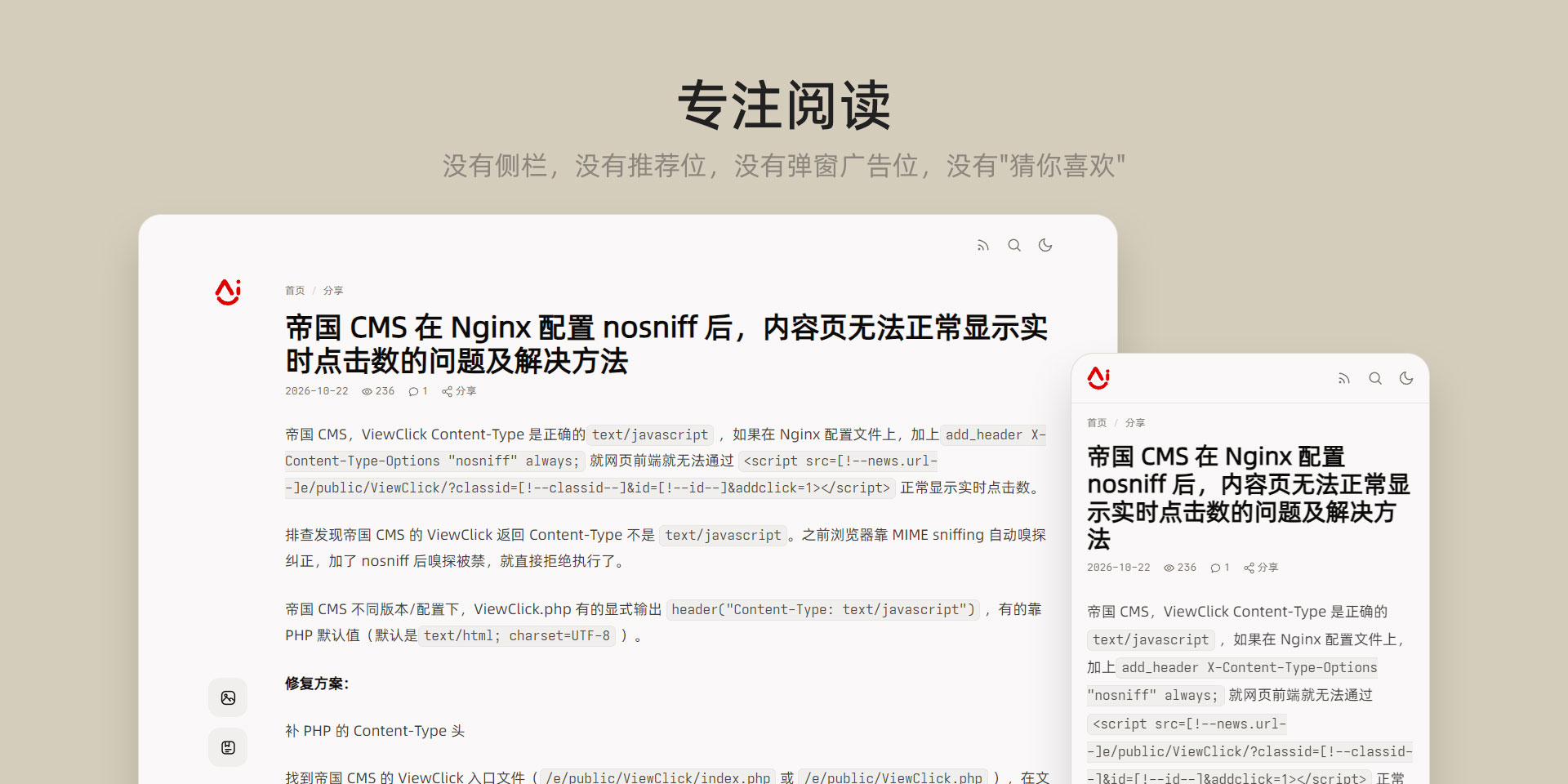
The homepage decides whether someone clicks in; the article page decides whether they read to the end.
What this page aims to do is simple: keep readers from being interrupted from first line to last. Every detail below serves that goal.
Table of Contents. On wide screens, the TOC sits beside the main content, auto-highlighting the current section as you scroll; on mobile, it collapses into a floating panel. If there are no subheadings, the TOC doesn’t even appear—it won’t occupy space just to look feature-complete.
Code Blocks. Each code block is framed like a window: three colored dots (red, yellow, green) in the top-left corner, language label and copy button in the top-right. Language and color scheme adapt automatically to light/dark mode—light mode uses creamy background, dark mode uses deep brown, making long coding sessions easier on the eyes.
Images. Slightly larger images in the body trigger immersive viewing: multiple images can be swiped left/right, zoomed up to 4x, rotated 90°, dragged around, and controlled via keyboard arrows. Small icons and emojis won’t accidentally trigger the viewer.
Copyright. At the end of each article, you can add a citation card: author avatar, article title, original URL, re-post notice, and license. Whether to show it is per-article—never forced site-wide.
Contextual Navigation. Breadcrumbs tell users where they are; previous/next article links at the bottom keep the flow going after finishing a post.
Day and Night, No Trade-Off
In the backend, you can choose: follow system, fixed light, or fixed dark. Default is system-following—readers on dark-mode phones see a dark interface immediately, avoiding a jarring white flash.
A sun/moon icon appears in the top-right corner. After a visitor toggles once, the theme remembers their preference; if they haven’t toggled, it keeps following the system—switching phone to dark mode automatically darkens the page, no refresh needed.
Light/dark isn’t just reversing colors. Two distinct palettes are carefully tuned: text brightness, links, borders, card layers, image shadows—all have separate settings. Syntax highlighting for code blocks comes in two versions, and the shareable poster also has light/dark variants—can follow the page or be switched independently. Morning posts and midnight shares should look different.
A Shareable Poster You Can Actually Send
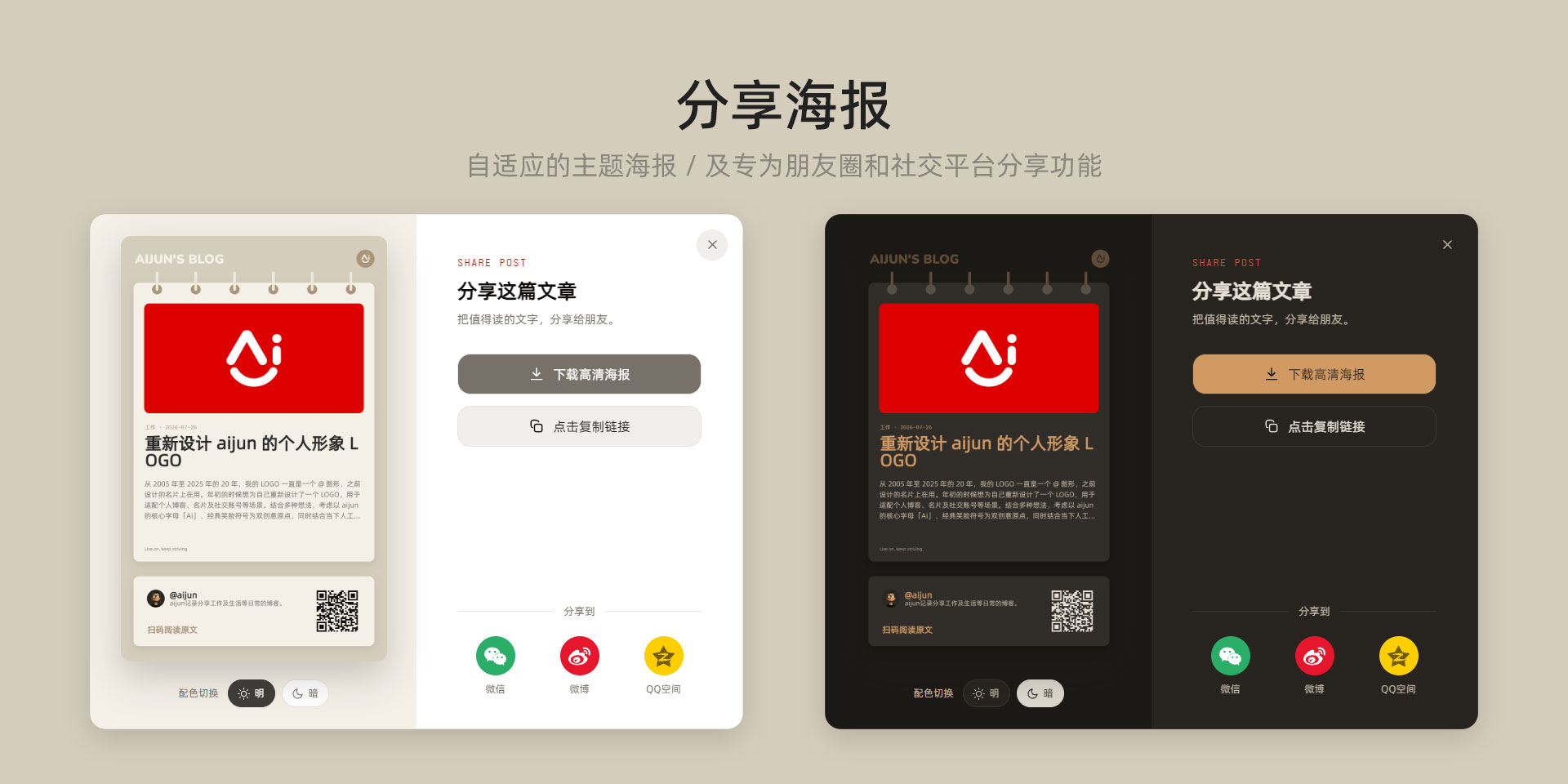
Clicking "Share" on an article reveals a two-column floating panel: on the left, a high-res vertical poster (1500 × 2400) bound by a spiral binder ring; on the right, download, copy, and share options.
The poster is designed specifically for social platforms like WeChat Moments: site logo, article category and date, up to two lines of title, up to four lines of excerpt, a 2:1 cover image, author avatar and nickname, site subtitle, a closing quote, and a QR code in the bottom-right.
The cover image isn’t arbitrary: first check the article’s custom header image; if none, use the first image in the body; if still none, pick from the theme’s built-in image library; otherwise fall back to a solid color—always maintaining the 2:1 aspect ratio, never distorting a portrait image.
The poster can be switched between light and dark modes independently of the page’s theme—use the bright version during the day, the dark one at night.
The right-side buttons serve specific purposes:
- Download High-Res Poster: Save as PNG, ready for WeChat or Moments.
- Copy Link: Copies "title + newline + permanent link"—paste directly into chat for a complete share, no manual title addition needed.
- WeChat: Opens a QR code with "Scan with WeChat"—scan to open the original article, then share via the top-right menu. More reliable than asking users to find the share option in their browser.
- Weibo / QQ Space: Directly redirects with title and link pre-filled.
The "Share" icon beneath the homepage title is the same as the one at the article’s end—share anytime, no need to scroll all the way down.
The entire poster is rendered in your own browser—no third-party service receives your article URL, and the QR code is generated locally. This matters deeply for privacy-conscious bloggers.
Writing Can Be More Free
Markdown is powerful, but when you want to emphasize something, it often falls short. ComBox adds a lightweight markup language:
| Want to do | How to write |
|---|---|
| Alert Box | [tip], [warning], [important], [danger], etc., with optional custom titles |
| Highlight Text | ==this text== for direct highlighting |
| Keyboard Keys | [[Ctrl]] + [[C]] or [kbd]Ctrl[/kbd] + [kbd]C[/kbd], rendered as real keycaps |
| Buttons | [button] with seven color options, ideal for downloads or jumps |
| Gallery | [gallery] supports 3–6 columns, opens in lightbox |
| Collapse | [collapse] defaults to hidden, user decides to expand |
| Download | [download] auto-adds icon and file size |
| Image Card | [figure] places a frosted glass capsule under the image as caption |
| Abbreviation | Hover shows full form, great for technical terms |
No plugins required. No HTML knowledge needed. Just write in the body.
Small Touches That Help
- Site Search: Icon in the top bar, or press
/. Type to filter titles and excerpts; use arrow keys to navigate, Enter to open. - Like Button: One like per visitor per article. Feedback visible upon click—no fake number inflation.
- Comments: Native nested comments (up to 5 levels); author replies get a "Author" tag automatically; pending comments are marked for authors only—visitors don’t see them.
- TOC (Table of Contents): Automatically pulls H2–H6 headers from the body. Click the bottom-right button to open it—the active section lights up as you scroll. Available on both article and standalone pages. Can be disabled in backend if unwanted.
- Back to Top: Appears only after scrolling past one screen—never distracts the first view.
- Footer Footer Info: Supports ICP and public security registration numbers, with official verification links.
Pages Beyond Articles
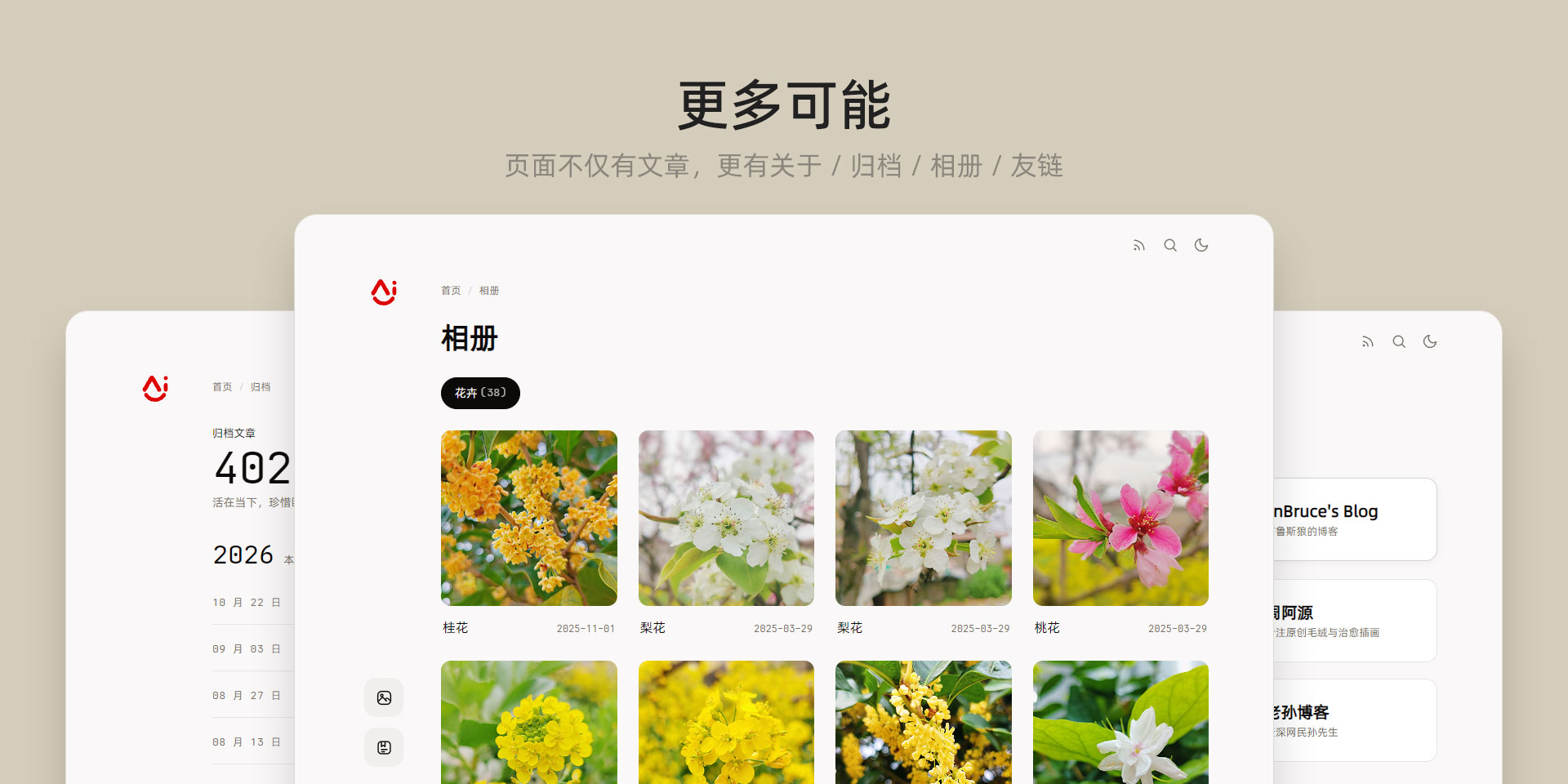
The theme includes four built-in standalone page templates—just create a page and assign the template:
About Page — More than just self-intro. Top section shows blog info (launch date, uptime, last update, current theme), followed by four stats: articles, comments, views, tags.
Archive Page — Vertical timeline grouped by year, each year marked with how many posts were published. Bloggers with five+ years of experience know: this page feels more like a personal ledger than any "popular posts" list.
Friend Links Page — Card wall layout. Backend has a visual editor—add/delete links with clicks, no JSON editing needed.
Gallery Page — Multiple albums switch via tabs, images open in lightbox. Great for travel, daily life, or casual shots.
There’s also a 404 page: a small sticky note on the left, with text: "Page missing—maybe blown away by wind," and a "To Do" task to return home. Error pages shouldn’t make users feel worse.
Backend Without Memorizing Parameters
Settings are grouped into six sections: Appearance, Site Info, Article Settings, Comments, Friend Links, Developer. A floating left sidebar highlights the current section as you scroll—no confusion even with many fields.
Settings can be exported as JSON—import back when switching machines or themes. Friend links have a visual editor—add or remove with clicks. The current version number always displays at the top—upgrade confirmation is instant.
For minor style tweaks or adding analytics scripts, dedicated slots are provided: custom CSS, additional content in <head>, additional content before </body>—no need to edit template files.
In Closing
ComBox never aimed to be a feature-packed theme. No sidebar, no recommendation zones, no carousel banners, no pop-up ads—those spaces were never reserved. An article fills the screen; readers don’t need to skip through clutter to reach the first sentence. Single-column layout is its stance—not unfinished work.
It actually has plenty of features: TOC, code windows, image viewer, shareable poster, shortcodes, four standalone page templates—all present. But they’re all secondary to "reading": silent most of the time, appearing only when needed, never stealing focus from the main text.
It’s not for every blog. Writers of tech notes, book reviews, life logs—those planning to write for years—will find it smooth. Sites relying on homepage clutter to fill information gaps? It won’t fit. Every reduction here serves one purpose: fewer scrolls, more time spent on the text.
Theme Author: aijun. If it helped your reader finish one more article, it was written well.
Download ComBox Theme
Optional companion plugin ComMDeditor adds shortcode quick buttons to the backend Markdown editor toolbar:
ComMDeditor(12.11 KB)
Alternative Download
Quark Cloud Drive: https://pan.quark.cn/s/41003a6e8fce, Extraction Code: WSTa
ComBox Theme Documentation: http://combox.nipang.cn/
Update Log: ComBox Theme Update Log
Currently, there’s no official community group. For issues or suggestions, please leave feedback here.
有空试下。有没有演示站。
演示就是本站(本站版本目前是1.1,新增了“多语言”、“
$this->header()输出项后台可配置”、“友链页链接有效性探测”,其他都是一样的)博主,你忘记更新 最新主题下载链接啦
目前提供下载的最新版就是 1.0.7 版的。在文末可直接下载
把字体、代码配色和图片素材都随主题提供,确实让外部资源不可用时的阅读更可控;不过本地资源也值得配一份体积清单,尤其是中文字体和海报相关脚本。若海报功能等到用户点开分享时再加载,首屏就不用替偶尔才用的功能承担成本。这样“没有站外依赖”和“让读者尽快开始阅读”两条目标会更一致。
这篇文章下没写技术文档介绍,ComBox 主题文档介绍,在这里可以看:http://combox.nipang.cn/meta/start.html
主题不错,第一次看还是非常惊艳的,至少不是那种千遍一律的主题。
文章不错非常喜欢,支持一下
打开文章页面提示:Database Query Error ,报错
文章内容页有个“点赞”的功能,Typecho 原生的 contents 表没有 agree。
你可以先执行一句 SQL:
ALTER TABLE typecho_contents ADD COLUMN agree INT UNSIGNED NOT NULL DEFAULT 0;执行完点赞功能直接正常。或者重新下载最新的
ComBox 1.0.7文件。Typecho 根目录下的
config.php文件,最底部加上 调试模式代码define('__TYPECHO_DEBUG__', true);看反馈错误是什么。这个模板的开发测试环境是 PHP 7.4+收藏+1,适合阅读,访问起来流畅
css引用目录是/usr/themes/ComBox/assets/css/main.css?v=1.0.6
但实际文件是:main.min.css
文件名对不上
抱歉,文件已重新打包更新了,重新下载一下。
js也是同样的问题
都一起更新了,重新下载一下文件即可。
不错。希望博主早点分享出来。
已提供下载,在本文末点击下载即可。如在使用过程中遇到问题可以在此留言反馈。
您好,贵站的主题如何获取呢,非常喜欢
已提供下载,在本文末点击下载即可。如在使用过程中遇到问题可以在此留言反馈。
已下载使用,感谢博主
目前就是我一个人用,可能有些问题没有发现,如果有问题可在此页反馈。(ㅅ´ ˘ `)♡~
可以的,可查看主题包里 READM.md 的许可说明。
收到收到,可以在贵主题基础上进行二开吗
ComBox 主题需要等一段时间,目前可能还有一些未知问题,等调整稳定运行一段时间再提供下载。
简洁,耐看。优秀的主题!👍
这种专注阅读、没有干扰的设计很舒服,让人能静下心来看完一篇文章。
打磨好久,还有一些没有发现的问题,慢慢发现再解决。😁